

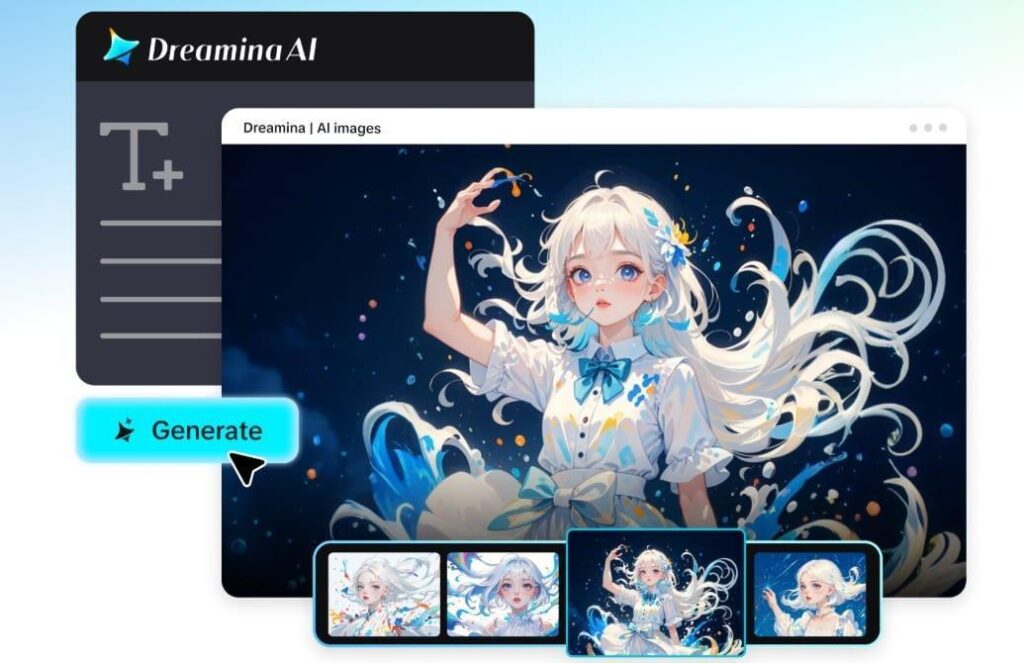
The visual aspect marks the beginning of any new project on a professional creative level, whether it be creating creative advertising, product catalogs, digital campaigns, marketing collateral, or presentations. A visual must be created to provide a visual representation of the entire creative project; therefore, it is necessary for visuals to have production-ready quality. Traditionally, this requires finishing hours of detailed and complex editing and numerous revisions using multiple software programs; however, Dreamina has streamlined this process with Seedream 5.0 Pro, which allows users to use text prompts to create production-ready visuals and then customize the visuals in Dreamina exactly how they want them.
Seedream 5.0 Pro does not allow its users to use AI-generated visuals as a first draft; therefore the AI-generated visuals are produced with a visual quality that is at production ready—it produces a very high quality visual that serves as the basis for converting that static visual image into an animation and video using AI-generated content, all while retaining the same character, lighting, design, and style of the first image.
Great production begins with great visuals
Production-ready images are much more than just aesthetically pleasing pictures; they must maintain technical precision and consistency while effectively communicating the intended message.
Consider a client who’s launching a new product and needs various promotional assets like social media graphics, website banners, advertisements, print materials, and a presentation slideshow. Every image in these visuals needs to look cohesive, or else the brand is fragmented.
With Seedream 5.0 Pro, you can generate different visuals all in the same style – each photo appearing as though it is from the very same professional brand campaign.
Examples of production-ready visual projects include:
- Brand campaigns
- product launches
- advertisement creatives
- Website graphics
- Digital marketing campaigns
- Business presentations
This approach ensures your visual output functions like a single unit.
From concept to finished production-ready assets
While many AI photo generators provide a fantastic first attempt, these often need to be edited extensively after initial output. Professional workflow requires a model that gives a solid first try and allows the image to evolve with the rest of your project.
Seedream 5.0 Pro allows precise image edits to be applied without restructuring the entire visual. Instead, small adjustments such as the product’s packaging, changing a shirt color, or removing distractions in the background all becomes simplified while preserving your photo’s lighting, composition, textures, and overall image quality. Whether it’s refining details on a logo, updating a clothing color, swapping out background elements, or clearing out distractions, you can do it in Seedream.
Key Seedream 5.0 Pro features for professional production workflows
Seedream 5.0 Pro goes beyond mere image generation and focuses specifically on the needs of professional creative workflow with the ability to precisely adjust individual image elements without impacting the rest of the photo.
The advanced Inpaint and Expand tools, along with deep thinking generation for accurate interpretations of complex prompts, provide a seamless editing experience that speeds up the iterative process of image revision. It has built-in online search, providing access to recent trends and data, for more relevant image generation.
Getting started with Dreamina’s Seedream 5.0 Pro
Ready to achieve the kind of production-ready visuals your creative projects deserve? How to use Seedream 5.0 pro in Dreamina guides you step-by-step to transform your ideas into polished visuals.
Lights, camera, Dreamina!
Step 1: Write your descriptive prompt
Begin by writing a detailed text prompt that describes the visual you envision. Specify subject, setting, style, clothing, lighting, composition, etc.
For instance: Generate a professional advertising photograph of a creative director wearing a premium blue blazer and dark grey trousers. He’s in his contemporary design office, glancing at branding mockups. Natural window light illuminates the scene from the side, creating a depth of field effect with soft bokeh. Hyperrealistic, studio quality, ultra detailed, production-ready.
Step 2: Configure and generate your visual
Select Seedream 5.0 Pro as your generation model within Dreamina. Then, choose your desired aspect ratio, image resolution, and size in either 1K or 2K. Click on the Dreamina generate icon to start creating your production-ready visual.
Step 3: Edit and download
After the image has been generated, leverage Dreamina’s comprehensive AI customization tools to enhance the result. Use Inpaint for precise area edits, Expand to adjust composition, Remove to delete unwanted objects, and Retouch to polish details. When satisfied, click Download to save your final production-ready image.
Production-ready visuals fuel every stage of the production cycle
Professional creative projects almost always include a collection of related visual assets for a complete campaign. Rather than creating dozens of disparate but similar images, Seedream 5.0 Pro allows creators to easily expand their existing visual assets while retaining visual integrity.
Additionally, Seedream 5.0 Pro’s high-fidelity images are perfectly optimized as references for Seedance 5.0 Pro, ensuring consistency in product appearance, environments, branding, lighting, and character styles when expanding your work to AI-generated video.
Consistency establishes professional authority
The ability to generate consistent visuals across a variety of mediums, including website elements, advertisements, and branding materials, provides a polished and trustworthy feel. Seedream 5.0 Pro enables consistent brand identity through its visual reuse capabilities. This is particularly beneficial for creating:
- Product catalogues
- Brand systems
- Marketing materials
- Design portfolio’s
- Proposals for clients
By having visually consistent assets, your project comes across as unified.
Production assets that keep giving
An effectively designed, high-quality visual isn’t just a one-time asset for a single project. High production value visuals can become repeatable and reusable across your website, campaigns, product marketing materials, client proposals, and social media graphics.
With Seedream 5.0 Pro, each visual created becomes a usable resource that you can leverage across various platforms over time. Moreover, these production ready visuals serve as excellent references forSeedance 5.0 Pro, ensuring that subsequent AI generated videos and visuals seamlessly retain original characteristics like product designs, environments, and branding.
Create production-ready visuals with Dreamina
No more need for complex software and tedious editing. Seedream 5.0 Pro helps you effortlessly generate high-quality images with professional finishing, apply intricate adjustments to your visuals with unprecedented control, and ensure absolute consistency across an entire project.
By integrating with Seedance 5.0 Pro, your production-ready images can serve as the bedrock for animated, AI-generated videos, bridging the gap between static content and cinematic storytelling.