

Remember how 3D modeling used to take months of work? It was a long process of finding and hiring 3D modeling specialists, output approvals, and back-and-forth workflows.
Not anymore.
AI has taken much of this burden away from designers, businesses, and even those who have no 3D modeling experience. Designing 3D models takes seconds now, and the only thing you will need is a detailed text, a prompt, or a reference image.
That is literally it.
Now, if you are wondering which tools are the best in this industry, we have ranked and reviewed 3 top three tools below.
|
Tools |
Features |
Pricing |
Trustpilot Rating |
|
|
4.8/5 ⭐ |
|
|
Tripo AI |
|
The monthly pricing starts at $19,9/ month (Pro plan). |
4.7/5 ⭐ |
|
Rodin (Hyper 3D) |
|
The monthly pricing starts at $30/ month. |
3.8/5 ⭐ |
Why Are AI 3D Model Generators Becoming a Thing?
The first reason is definitely speed, as AI 3D Model generators are generating meshes and 3D models in seconds. And the quality is usually not compromised as well.
Other reasons why more people and businesses are turning to these tools are:
- Easy-to-use interface: Most of the tools don’t require complex software setup. The generation process is completed right on the website or online dashboard. You simply input your text or upload reference images in special boxes and get your results.
- Output use cases: The outputs are intended for multi-purpose usage, whether you want to use your models in product design, gaming, or even 3D printing.
- File format and app integration flexibility: Modern AI 3D model generators also allow exporting the generated output in common file formats such as OBJ, FBX, GLB (universal formats), STL (for 3D printing), and more.
Convinced enough to try these tools yourself?
Let’s now review the best AI 3D model generators with their features, pricing, and ratings.
Meshy AI
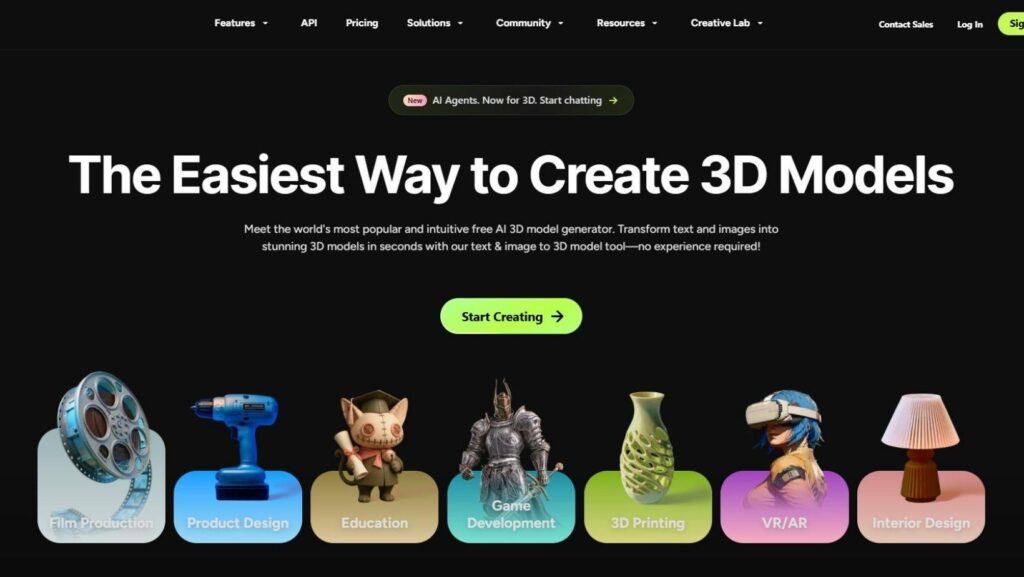
Meshy AI is a top intuitive AI 3D model generator that creates high-quality 3D models in seconds. You only follow 3 easy steps:
Step 1: Input a clear image or a text prompt
Step 2: Watch a 3D model being generated for you
Step 3: Preview and download
You can export your model files in various formats suitable for production use, such as FBX, GLB, OBJ, STL, 3MF, USDZ, and BLEND. You can also keep your generated models in one place for easier storage and usage.
Meshy AI offers a wide range of features, including:
- 3D Agent
Meshy 3D is the world’s first conversational AI agent for 3D model creation. Express your ideas, upload a photo or sketches in the built-in AI chat, and get a generated print-ready 3D model instantly.
- Image to 3D
Upload an image or images and generate high-fidelity 3D models to use for gaming, 3D printing, and anywhere else, with no special software needed to set up.
- Text to 3D
Describe your 3D object in natural language (up to 800 characters in any language). Include shape, style, material, and context for best results. Get your 3D model generated based on the information you provided.
- AI Texturing
Upload your 3D model in any standard format (FBX, OBJ, GLB, and more), or start directly from a model generated with Meshy’s Image to 3D or Text to 3D. Choose how you want to apply textures by typing a text prompt, uploading a reference image, or picking from preset styles. Download the final result.
- AI Image Generator
Generate stunning AI images by describing your image or uploading a reference. Edit and refine with built-in tools. Download the final result.
- AI 3D Character Animation
Generate Pixar-style 3D character animations by uploading your 3D model and choosing your preferred animation. Export your rigged, animated model in FBX or GLB to import into major tools.
- API
Meshi AI’s features are supported by API capabilities (text to 3D, image to 3D, AI texturing) to keep the creation experience seamless.
Meshy AI provides a private license to commercialize your models and protect them from unauthorized use.
Pricing
Meshy AI offers separate pricing for individuals and teams.
- For individuals, the monthly pricing starts at $20/ month
- For teams, the monthly pricing starts at $60 / seat/ month
There is also custom pricing for enterprises for more features, large-volume usage, and customized solutions.
Trustpilot Rating: 4.8/5 ⭐
Tripo AI
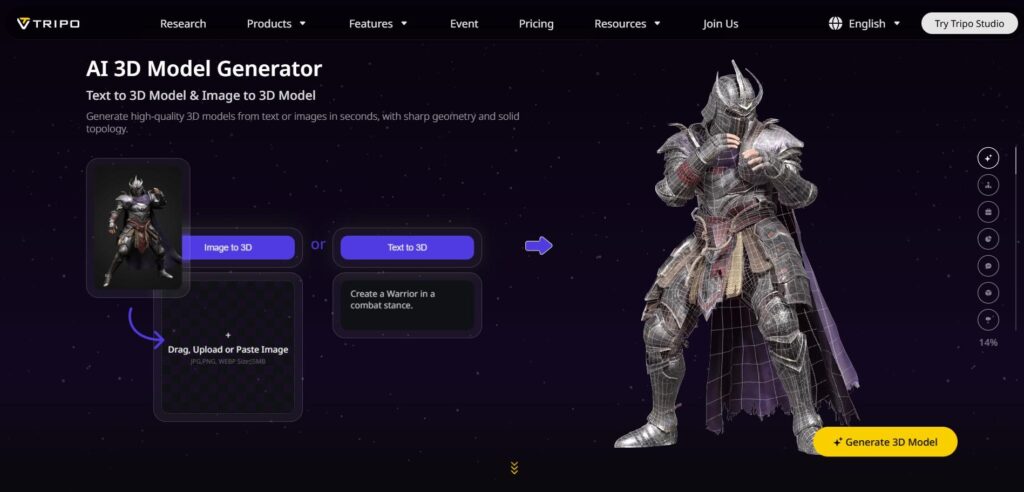
Tripo AI is another popular AI 3D model generator. It helps you create instant 3D models through inserted texts, prompts, or uploaded images. Just like in the case of Meshy AI, there is no need for design or animation knowledge. The platform is easy to use and intuitive.
The generated 3D models will work best for gaming, AR & VR, 3D printing, films and animation, product design, as well as architecture and interior.
Tripo AI’s key features include:
- Text-to-3D model: Enter prompts and turn words into fully formed 3D models.
- Image to 3D model: Convert a 2D image into a 3D model with speed, control, textures, and production-ready topology (tri-mesh, quad-mesh).
- AI texturing: Auto-generate realistic 3D textures and PBR materials with AI
- AI model segmentation: Break down complexity into editable parts
- Auto rigging: Make your characters come alive, built for speed and precision.
- Model stylization: Reimagine your models in Lego, Voxel, or Voronoi.
- Image Gen: GPT-4o: Powered by GPT-4o’s multimodal understanding, turn your ideas into production-ready 3D assets with unmatched accuracy.
- Smart mesh: Create game-ready assets with clean topology, optimized for Unity, Unreal & Blender.
- High detail model: Capture every micro-detail and intricate texture, delivering realistic meshes perfect for 3D printing and cinematic visual art.
Pricing
Tripo AI offers a free tier with 200 monthly credits. For more credits and features, the monthly pricing starts at $19,9/ month (Pro plan).
Trustpilot Rating: 4.7/5 ⭐
Rodin (Hyper3D)
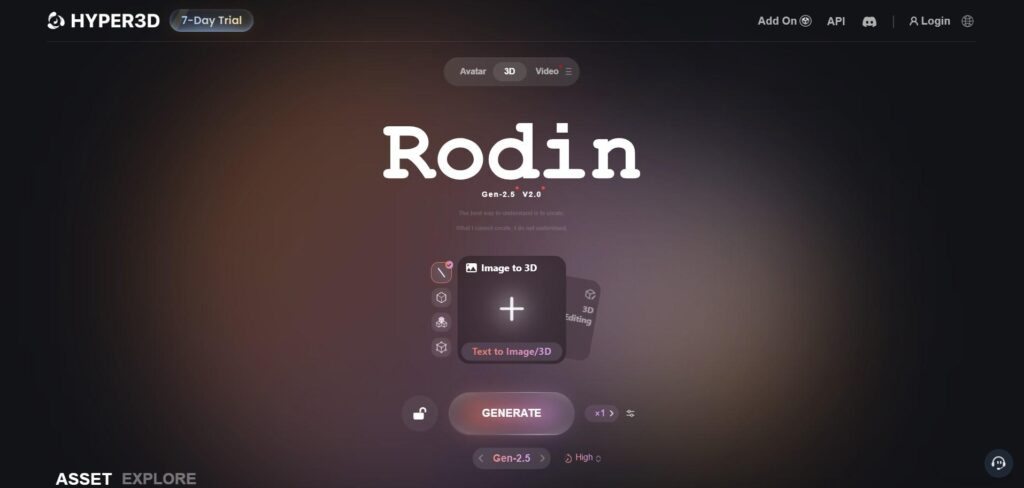
Rodin is Hyper3D’s flagship AI tool that turns text prompts or images into 3D models. To achieve this, you don’t need any design or 3D modeling skills.
The creation steps are the same as in the case of the previous two tools: you insert a text prompt or reference image, and Rodin generates the mesh, and an editable 3D model you can later preview, refine, and export in common 3D formats.
It’s built for a wide range of users, from game developers and designers to businesses building 3D content.
The platform also offers a flexible integration of AI-generated 3D models into tools like Blender, Unity, and Unreal Engine through add-ons, without breaking your workflow.
Rodin’s key features include:
- Text to 3D
- Image to 3D
- AI Video Generator
- AI Image Generator
- AI HDRI and Skybox creator
Pricing
You can test Rodin AI with a 7-day free trial. For more features, the monthly pricing starts at $30/ month.
Trustpilot Rating: 3.3/5 ⭐
To Sum Up
The best way to find the right 3D generation tool is to try it yourself.
Each platform has its own strengths, and what works best depends on your specific workflow, the type of assets you create, and the level of detail you need.
Meshy AI stands out for supporting every essential feature needed for a scalable 3D generator and goes a step further with the world’s first 3D agent, designed to generate fast outputs based on your specific ideas.
Tripo AI, powered by GPT-4o’s multimodal understanding, is a great choice for its model stylization capabilities.
Rodin (Hyper3D), on the other hand, stands out with its AI HDRI and Skybox creator, allowing users to create 360-degree environments for games, product shots, and VR scenes.
Let your imagination run wild, play around with the tools, and pick the one that gives the results you want.