

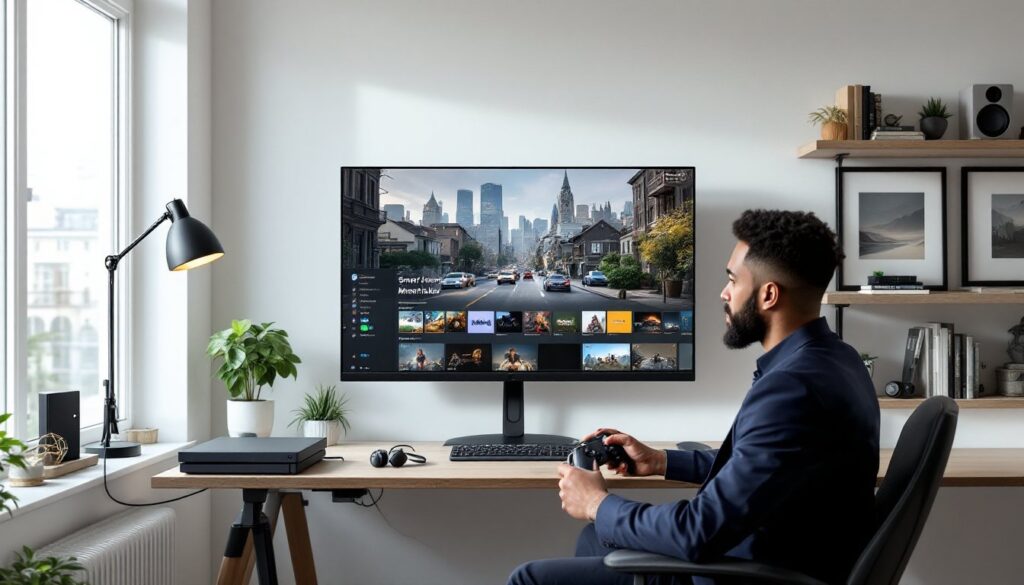
Compact displays have real advantages for fast-paced gaming: tighter viewing distance, consistent color at off-axis angles, and desks that don’t need to be rearranged. For 2026, Samsung’s 32″ smart displays (including their Smart Monitor lineup and 32″ lifestyle TVs) offer a range of choices for PC, PS5/PS4, Xbox Series X
|
S, and cloud gaming. This guide explains why a 32″ Samsung makes sense, compares the models worth buying, and walks through the exact specs and settings players should prioritize to get the lowest input lag and cleanest image for competitive and casual play.
Key Takeaways
- The 32 inch Samsung smart TV size hits a perfect balance for gamers, offering sharp 4K or crisp 1080p visuals without overwhelming desk space or causing eye strain.
- Samsung’s 32″ Smart Monitor M8 and The Frame LS03 are top choices in 2026, with the M8 excelling in 4K productivity and gaming, and The Frame offering budget-friendly console clarity and stylish design.
- Prioritize key gaming specs like low input lag (6–12 ms best), refresh rates (60Hz up to 120Hz for competitive play), and resolution when selecting your 32″ Samsung smart TV for the best experience.
- Connectivity with HDMI 2.1 and USB-C is crucial for leveraging 4K@120Hz and low latency on PS5, Xbox Series X, and PC setups, so check port specs carefully before buying.
- Samsung’s Tizen platform supports major cloud gaming services and native apps, making 32″ Samsung smart TVs versatile hubs for streaming, gaming, and productivity.
- Proper calibration—enabling Game Mode, disabling post-processing, and using VRR—significantly reduces lag and enhances image quality on Samsung 32″ smart TVs for competitive and casual gaming.
Why A 32″ Samsung Smart TV Is A Great Choice For Gamers And Esports Fans
A 32″ screen hits a sweet spot for many gamers: it’s big enough to appreciate 4K texture work at close range while small enough to reduce eye travel during twitch-heavy play. Samsung’s 32″ offerings in 2026 include the 32″ Smart Monitor M8 (4K) and the 32″ lifestyle models like The Frame LS03 (Full HD), both run Samsung’s Tizen-based smart platform that’s matured with low-latency modes.
Why gamers choose 32″:
- Desk-friendly: sits at typical mouse-to-screen distances (24–36 inches) without needing massive FOV scaling.
- Lower perceived motion blur: smaller pixel travel for the same on-screen movement helps reaction times.
- Versatility: many 32″ Samsung smart monitors double as productivity displays with Office/remote features, so they pull double duty for streamers and content creators.
Competitive players should note platform availability: Samsung 32″ models in 2026 support major platforms (PC, PS5, Xbox Series X
|
S, and cloud services like GeForce NOW and Xbox Cloud Gaming) via native apps or HDMI/USB-C passthrough.
Top 32″ Samsung Models To Consider In 2026 (Quick Comparison)
Quick reference, real-world picks that matter in 2026 (model, resolution, refresh, best use):
- Samsung Smart Monitor M8 (32″, 2022–2024 revisions), 4K UHD, 60Hz, ideal for single-player AAA and productivity: excellent color, 9–12ms input lag in Game Mode on PC. Works well with cloud gaming.
- Samsung The Frame LS03 (32″, 2023–2025), 1080p, 60Hz, best for consoles where pixel density at close range helps clarity: lower cost and excellent picture presets for SDR content.
- Samsung S32 Smart Monitor (2025 refresh), 1440p/4K options in different SKUs, 60–120Hz variants depending on region: strong USB-C and smart features for laptop+console combos.
How to pick: prefer the M8 if 4K is a priority (and GPU can drive it). The Frame is the pick if décor and budget matter. The S32 family offers middle-ground choices with higher refresh in some SKUs, check SKU numbers and region-specific refresh rates before purchase.
For portability and multi-use, the M8’s streaming apps and wireless DeX/PC Remote features make it a good hub for casual streamers. Gamers should always verify the exact 2026 SKU for HDR support and refresh-rate caps.
Essential Gaming Specs To Prioritize: Resolution, Refresh Rate, Input Lag And HDR
Focus on three measurable specs first.
Resolution: On a 32″ panel, 4K gives the sharpest text and player models at typical desk distances: 1080p still looks crisp for console players who sit closer. If a 1440p SKU exists, it’s often the sweet spot for PC players wanting high FPS without massive GPU load.
Refresh rate: Most Samsung 32″ smart displays cap at 60Hz for TV-style SKUs. Competitive players should look for 120Hz variants in Smart Monitor lineups (check the SKU). Higher refresh reduces motion judder and improves TTK perception in shooters.
Input lag: Measured input lag in Game Mode is the priority. Example ranges to expect in 2026:
- Good: 6–12 ms (PC via HDMI/DisplayPort or USB-C)
- Acceptable: 12–20 ms (consoles via HDMI)
- Problematic: >30 ms (avoid for competitive play)
HDR: Samsung uses HDR10/HDR10+ on many models. HDR can improve contrast and enemy visibility, but tone-mapping on smaller 32″ panels varies. Gamers should test HDR in their specific titles: sometimes SDR with calibrated contrast outperforms auto-HDR implementations for competitive clarity.
Bonus: Variable Refresh Rate (VRR), FreeSync or HDMI Forum VRR support is valuable for tearing-free play when GPU frames fluctuate. Confirm VRR is enabled in firmware notes for the 2026 SKU you buy.
Connectivity And Ports: How To Hook Up Consoles, PC, And Accessories
A 32″ gaming setup depends on the right ports and cabling. Recommended minimum: two HDMI 2.1 ports (or at least one HDMI 2.1), one USB-C with DisplayPort Alt Mode, and a pair of USB-A ports for peripherals.
Practical hookup tips:
- Consoles: Use HDMI 2.1 for PS5 and Xbox Series X to get 4K@120Hz or 4K@60Hz with VRR. If the panel is 60Hz-only, HDMI 2.1 still ensures low-latency signaling and features like ALLM.
- PC: Prefer DisplayPort or USB-C with DP Alt Mode for unrestricted refresh-rate and color: some Smart Monitors provide USB-C charging while passing video.
- Peripherals: Plug a wired mouse/keyboard into the monitor’s USB hub to reduce cable clutter and avoid extra USB switches. For streamers, an audio interface via USB is cleaner than optical passthrough.
If the target Samsung SKU lacks HDMI 2.1, gamers should expect limitations (no 4K@120 or full 120Hz). Check the exact port firmware notes before buying.
Related resource links: For ergonomics and desk setup inspiration, readers may explore everyday options on improving desk setups with everyday protection or reference mobile content creation tips for streaming using social media using.
Samsung Smart Platform And Gaming Apps: Tizen Features, Cloud Play, And Streaming
Samsung’s Tizen-based platform in 2026 has matured into a capable gaming hub. Native apps for cloud services (Xbox Cloud Gaming, GeForce NOW) are available on many Smart Monitors and 32″ TVs, letting players stream high-FPS titles without a high-end GPU.
Key platform notes:
- App support: Most 32″ Samsung models include major streaming apps and a browser-based Remote Play option for PC streaming.
- Cloud benefits: Cloud play reduces hardware costs and pairs well with the M8’s 4K support when bandwidth is solid (target 35+ Mbps for 4K cloud streams).
- Smart features: Wireless DeX, built-in casting, and multi-view let streamers display chat or guides on the same panel while gaming.
For creators and influencers, combining cloud and local capture workflows is common. Advice on making short-form clips and stream-ready content ties into best practices from guides about using videos smart ways to get and simple phone-based capture techniques like social media using.
Setup, Calibration, And Settings To Minimize Lag And Maximize Image Quality
Calibration and a few menu toggles deliver the biggest gameplay improvement without buying new hardware.
Step-by-step essentials:
- Enable Game Mode / Low Latency Mode: This bypasses heavy processing and typically drops input lag by double digits. Test with an on-screen latency tool if possible.
- Turn off post-processing: Motion smoothing, noise reduction, and dynamic contrast can add latency and create artifacts.
- Set color space to the game’s target: For HDR titles, use the TV’s HDR profile (HDR10/HDR10+). For competitive shooters, SDR with increased brightness and contrast often improves target visibility.
- Use VRR and FreeSync: Enable in both monitor menus and GPU/console settings to remove tearing when FPS fluctuates.
- Update firmware: Samsung releases periodic firmware that can change input-lag behavior, HDR mapping, and app support. Check release notes before tournament play.
Calibration tools: basic color-checker patterns, a cheap colorimeter, or community profiles for the exact 32″ SKU will save time. For streaming, route audio to a USB interface and keep monitor speakers off to avoid mic bleed.
Conclusion: Which 32″ Samsung Smart TV Should You Buy Based On Your Gaming Needs
For pure competitive FPS on PC, a 32″ Smart Monitor SKU with 120Hz and measured input lag under 10 ms is the targeted choice. For console owners who value picture and living-room aesthetics, The Frame 32″ balances décor and play at a lower price. For multi-use setups (productivity, cloud gaming, streaming), the M8 32″ 4K Smart Monitor is the most versatile.
Prices and firmware change fast in 2026, buyers should confirm the exact SKU’s refresh-rate, HDMI version, and firmware notes before purchase. For desk-focused gamers, the right 32″ Samsung will deliver sharp visuals, low latency, and a compact footprint without sacrificing features.