

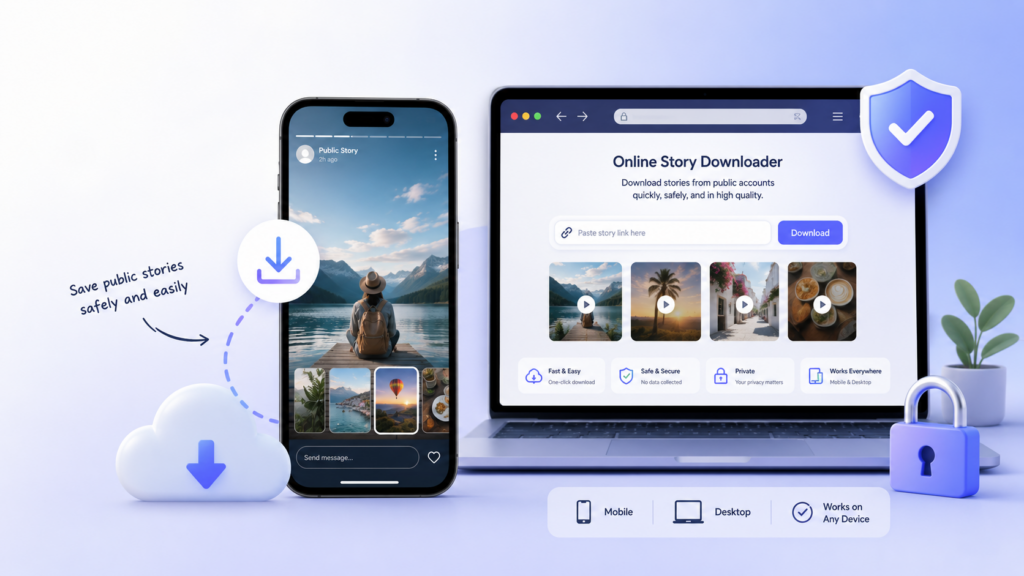
Instagram Stories are one of the platform’s most popular features, yet they come with a built-in limitation: they disappear after 24 hours.
Whether you want to revisit a tutorial, archive a business post, or preserve a personal memory, losing that content can be frustrating.
Fortunately, online tools to download Instagram Stories have made it easier than ever to save that content directly from your browser, without installing an app.
This guide walks you through how these tools work, what to look for, and how to use them responsibly.
What Are Instagram Story Downloaders?
Instagram Story downloaders are browser-based tools that allow users to save publicly available Stories from Instagram. Most of these services work by asking you to enter a username or paste a Story URL. The tool then retrieves the available content and presents it for download.
Because they run entirely in a web browser, these tools do not require you to install any software on your device. That makes them convenient for quick, occasional use on both mobile phones and desktop computers.
They are particularly useful for content creators, social media managers, and everyday users who want to keep a copy of something they found valuable.
Is It Legal and Safe to Download Instagram Stories?
This is an important question, and the answer depends on what you are downloading and how you plan to use it.
Saving your own Stories is generally acceptable and is the most straightforward use case. If you are a content creator who forgot to archive a Story before it expired, a downloader tool is a practical solution.
Saving someone else’s content is more complicated. Even if a profile is public, that does not mean the content is free to use. Copyright still applies.
You should only download another person’s Story if you have their explicit permission, and you should never repost it or use it commercially without authorization.
Here are a few additional safety points to keep in mind:
- Do not use tools that ask for your Instagram password. Reputable Instagram Story downloaders do not need your login credentials. If a tool asks for them, treat that as a red flag.
- Avoid suspicious websites with excessive pop-ups, forced redirects, or unclear privacy practices.
- Check for HTTPS in the site’s URL to confirm the connection is encrypted.
- Follow Instagram’s terms of service. Downloading content in ways that violate the platform’s rules can put your account at risk.
How to Download Instagram Stories Using Online Tools
The general process for using an Instagram Story downloader is straightforward. Here is a step-by-step overview:
- Choose a reliable Instagram Story downloader from a reputable source.
- Open the tool in your browser on your phone or desktop.
- Enter the Instagram username of the account whose Stories you want to save, or paste a direct Story link if the tool supports it.
- Preview the available Stories that the tool retrieves.
- Select the Story you want to download.
- Save it to your device using the download button or prompt provided.
- Use the file responsibly, only for personal reference or other permitted purposes.
The process typically takes less than a minute and does not require any technical knowledge.
MyStorySaver: A Simple Online Tool for Saving Instagram Stories
If you are looking for a straightforward, browser-based option, MyStorySaver can be a convenient choice. It is designed to help users save Instagram Stories online without installing additional software, making it suitable for both desktop and mobile users.
MyStorySaver is built around simplicity. You enter a username, browse the available public Stories, and download the ones you need. There is no account registration required, and the interface is clean enough for users who are not particularly tech-savvy.
Key features that make it worth considering:
- Fully browser-based, with no app installation needed
- Compatible with both mobile and desktop devices
- Designed for saving publicly available Instagram Stories
- Simple interface that suits casual and professional users alike
- Useful for personal archiving, creative inspiration, or social media content management
As with all tools in this category, MyStorySaver should be used only for content you own or have permission to download.
Alternative Online Tools to Download Instagram Stories
MyStorySaver is one of several options available. Below is a brief overview of other tools you may want to consider when comparing Instagram Story downloaders.
SaveInsta
SaveInsta is an online tool that supports downloading various types of Instagram content, including Stories, depending on availability. It offers a browser-based experience with a relatively simple interface, making it a reasonable option for users who need a quick solution without any setup.
SnapInsta
SnapInsta is known for supporting Instagram downloads across several content types, including videos, Reels, photos, and Stories. Like other tools in this space, it works best with public accounts and should only be used for content you are authorized to save.
StoriesIG
StoriesIG is commonly used for viewing and downloading public Instagram Stories. It does not require app installation, which makes it practical for occasional use. The tool is fairly minimal in terms of features, which can be a plus for users who want something quick and uncomplicated.
Inflact
Inflact offers a broader set of Instagram-related tools, and its download features are among them. It may appeal more to marketers and social media professionals who are already using the platform for other purposes. Users should review Inflact’s terms and privacy practices before relying on it regularly.
Toolzu
Toolzu provides a range of social media downloading tools, including support for Instagram content. It can be a useful reference point for users who are comparing multiple services before settling on one.
iGram
iGram is another browser-based Instagram download tool that supports Stories along with other content types. It is worth including in your comparison if you are evaluating multiple options at once.
Online Tools vs. Mobile Apps: Which Option Is Better?
Both approaches have their advantages, and the right choice depends on your needs.
Online tools are generally the more convenient option for most users. They require no installation, use minimal storage, and can be accessed from any device with a browser. Because they do not need device permissions to function, they tend to carry a lower risk profile.
Mobile apps may offer additional features, such as batch downloading or built-in media organization. However, they require installation and can sometimes request permissions that go beyond what is strictly necessary.
One consistent recommendation across both categories: avoid any tool, whether app or website, that asks for your Instagram username and password. No legitimate Instagram Story downloader needs that information to function.
Tips for Choosing a Safe Instagram Story Downloader
With many tools available, it helps to know what to look for. Keep the following points in mind when evaluating any Instagram Story downloader:
- Never enter your Instagram password. A request for your credentials is a strong sign of an untrustworthy tool.
- Look for HTTPS. The site’s URL should begin with “https://” to ensure your connection is secure.
- Avoid tools with excessive pop-ups or aggressive redirect behavior, as these can expose you to malicious content.
- Read the privacy policy if one is available, especially if you plan to use the tool regularly.
- Only download public content or content you have explicit permission to save.
- Be cautious with downloaded files from unfamiliar sources. Scan them with antivirus software if you are unsure.
- Avoid browser extensions from unknown developers, as these can request broad permissions and pose privacy risks.
Common Reasons to Save Instagram Stories
Understanding why people save Stories can also help you use these tools more purposefully. Here are some of the most common use cases:
- Preserving your own content before it disappears after 24 hours
- Archiving business-related Stories for reports, records, or team review
- Saving educational content such as tutorials, how-to guides, or instructional videos for later reference
- Keeping event memories, especially from live coverage of special occasions
- Collecting creative inspiration from accounts you follow, with appropriate permission
- Supporting social media content calendars by maintaining a personal archive of relevant examples
In all of these cases, the saved content should remain for personal or professionally authorized use only.
Frequently Asked Questions
Can I download Instagram Stories without installing an app?
Yes. Many online tools allow you to save Instagram Stories directly through a web browser, without downloading or installing any software. Simply enter the username into the tool, browse the available Stories, and download the ones you need.
Can I download Stories from private Instagram accounts?
No. You should not attempt to download Stories from private accounts or look for ways to bypass Instagram’s privacy settings. Doing so violates both Instagram’s terms of service and the account holder’s privacy expectations.
Do Instagram Story downloaders require a password?
Reputable tools do not need your Instagram password. The tools covered in this article work with publicly available information only. If a tool requests your login credentials, avoid it.
Can I repost a downloaded Instagram Story?
Only if you created the content yourself or have received explicit permission from the original creator. Reposting someone else’s content without authorization can infringe on their copyright and violate platform rules.
Are online Instagram Story downloaders free?
Most tools offer free access to their core features. Some may display advertisements, impose download limits, or offer premium plans with additional functionality. Always review the terms before using a tool regularly.
Is it safe to use online Instagram Story downloaders?
It can be, provided you choose a reputable tool and follow basic safety practices. Stick to sites that use HTTPS, avoid tools that ask for your password, and be cautious of excessive ads or redirects. Using the tools listed in this article as a starting point is a reasonable approach.
Conclusion
Online tools to download Instagram Stories offer a practical solution for users who want to save content without the hassle of installing a dedicated app. Whether you are a casual Instagram user trying to preserve a memory or a social media professional archiving content for work, a browser-based downloader can simplify the process considerably.
That said, responsible use is essential. Always respect the privacy of other users, obtain permission before saving someone else’s content, and stay within the boundaries of Instagram’s terms of service. Public availability is not the same as open permission.
For users who need a simple and browser-based option, MyStorySaver is one of the tools worth considering alongside the alternatives listed above. Whichever tool you choose, keeping privacy, copyright, and platform rules at the front of your mind will help ensure that your use of these tools remains both ethical and effective.